Windows
Full desktop control, local AI connections and optional cloud relay.
Control a Quad Cortex® from desktop or phone—and give compatible AI apps a structured, guarded way to understand the rig, make changes and verify the result.
Independent, unofficial software. Not affiliated with, endorsed by or sponsored by Neural DSP.
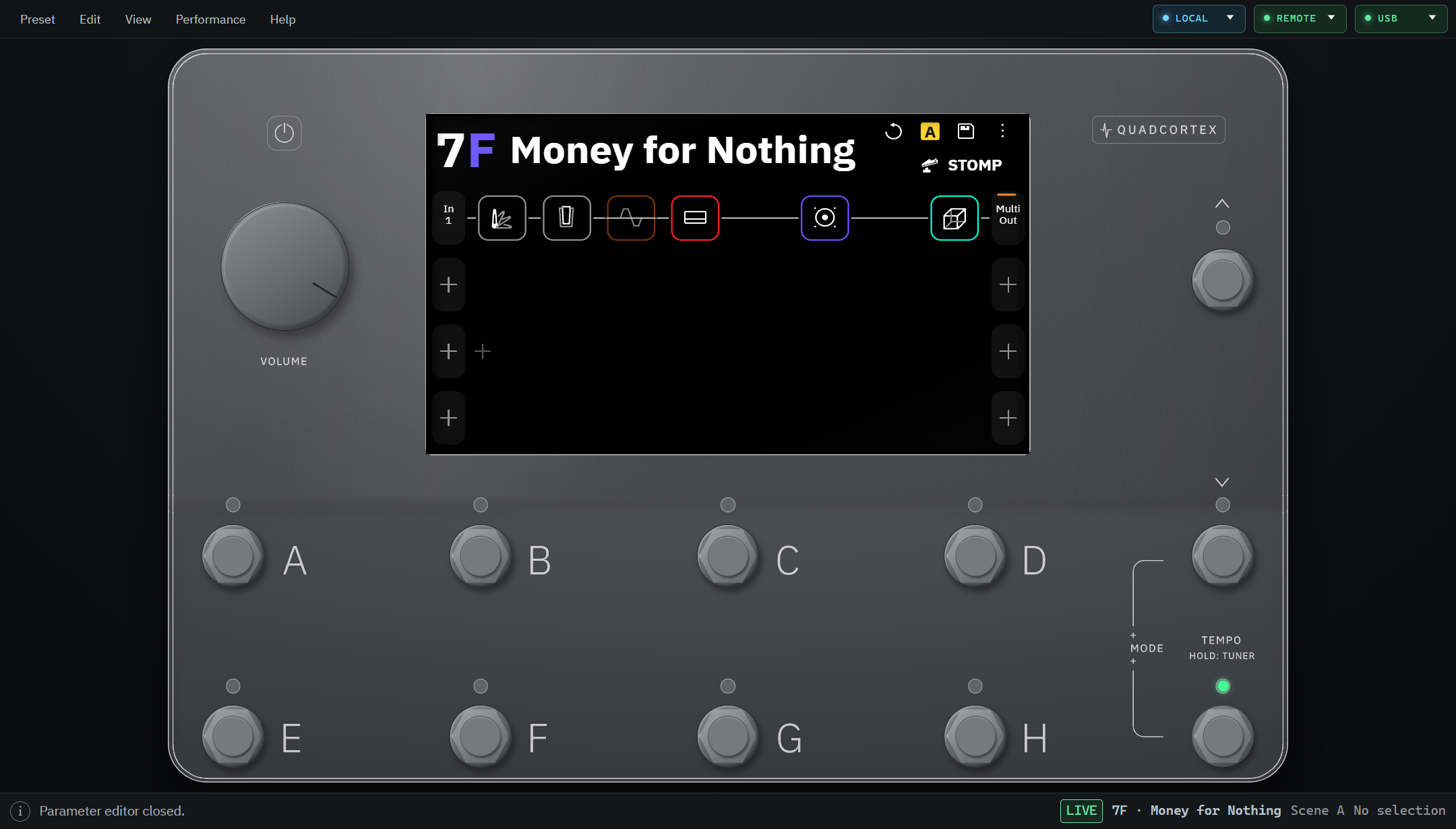
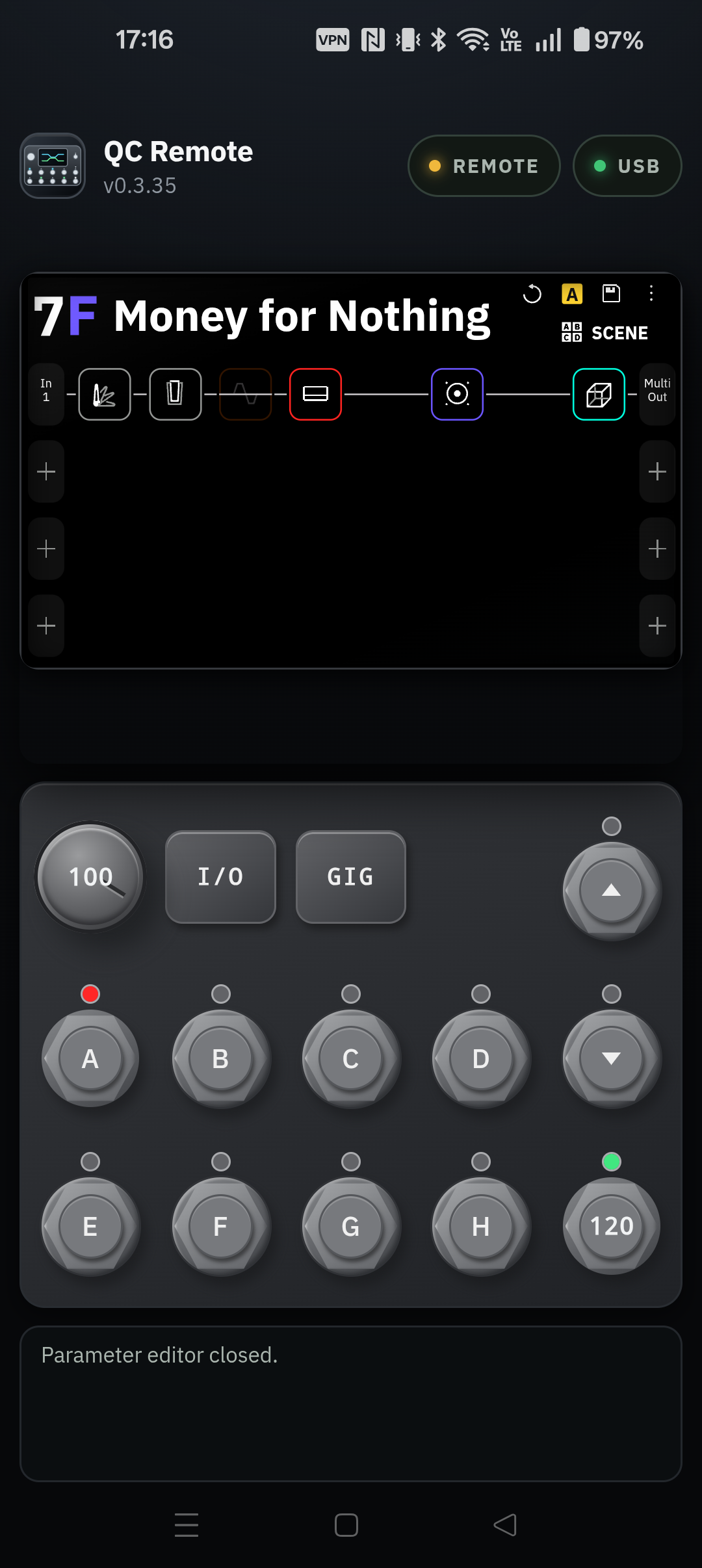
Full desktop control, local AI connections and optional cloud relay.
Native desktop control and local MCP on Ubuntu 24.04 x86_64.
Direct USB-host control, touch-first performance tools and remote AI pairing.
Planned for a future release.
Coming laterWindows and the downloadable Android APK remain on GitHub release v0.1.182. QC Remote is publicly listed on Google Play; invited testers can also use the internal-test opt-in for Android 0.3.37 (build 42). Linux 0.1.187 is available for Ubuntu 24.04 x86_64 with signed GitHub build provenance. It was tested with a physical Quad Cortex on Ubuntu 24.04 under WSL2/Xfce; bare-metal Linux has not been tested. See the setup guide and release notes for installation and verification. QC Remote is also publicly available in Microsoft Store.
Connect the device to the Windows or Android app, or use the Linux desktop release on Ubuntu 24.04 x86_64. It provides USB HID control and local MCP. The optional cloud relay currently supports remote AI access from a Windows or Android host.
Your device
Choose one QC Remote host
Connect your AI app
Runs on the same desktop. No cloud relay.
Reaches the paired host through the optional relay.
Choose the maximum access level in QC Remote. The host enforces this access level independently of the AI app.
The Quad Cortex remains attached to its chosen host. Manual control is available on the Windows/Android releases and in the Linux desktop release; local AI clients are desktop-only. Remote AI currently supports paired Windows or Android hosts. A compatible AI client may ask you to confirm a preset or setlist deletion before sending it. QC Remote does not add a second approval prompt on the paired host, and the relay does not independently verify that a person approved the request.
Linux also provides local MCP; manual control and local MCP do not require the cloud relay.
Available features vary by AI app and its MCP support.
Watch QC Remote connected to a Quad Cortex, then backgrounded while its Android foreground service keeps the optional relay available. The app returns still connected. No device command is issued in this clip.
Open the 16-second demo video ↗QC Remote is a complete manual controller first. Add an AI client when a conversation is faster than hunting through menus, comparing parameters or building a signal chain from scratch.
Switch Scenes, engage blocks, edit parameters, set tempo, tune and see the live Grid from the Windows or Android app.
Add and configure blocks across the four-row Grid, route signals and shape Scenes manually or with an AI assistant that understands the device model.
Browse, recall and organize presets and setlists, keep local working copies, and use AI to help audit or explain what is already in a rig.
Ask for practical adjustments, learn what a model is based on, or scaffold a starting rig for the character of a familiar song—then refine it by ear.
QC Remote began with a simple idea: owners should be able to explore and control their device from the screen and interface that suit the moment.
Use chat or voice in a compatible AI app to inspect your rig, change a Scene or ask for help shaping a sound.
Explore the virtual device and practice building rigs online or offline, even when a Quad Cortex is not connected.
Build and organize presets at your desk, then use your phone for focused control beside the device.
Explore the public source, report issues and help improve an independent controller and AI interface for device owners.
QC Remote is free and its source is public. It is made with deep respect for the instrument you created—and for the possibilities thoughtful AI control can unlock.
— Freevia
The public repository has the source and documentation. Signed Windows and Android downloads and the Linux Debian package with signed GitHub build provenance are linked above. The Android app is on Google Play; invited testers can also use the internal-test opt-in.